|
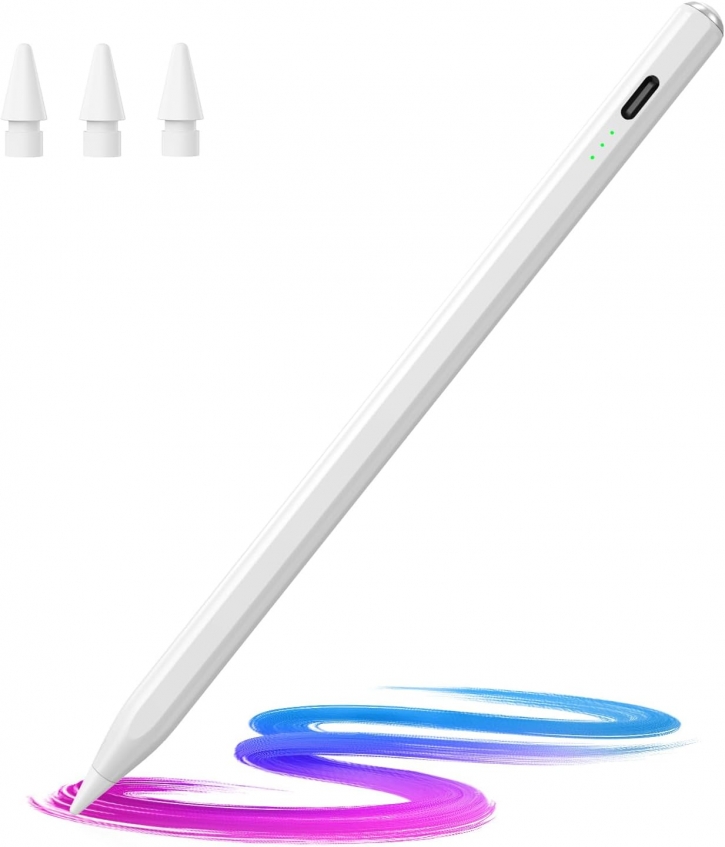
Amazon offers Hastraith Stylus Pen for iPad for after code free shipping with Amazon Prime. Apply Code: 7J7L9CH8 Product Description: 🖊【Wide
Compatibility】: Stylus pen supports iPad 2018-2026 series:iPad 11th 11
inch 2025/10/9/8/7/6th Gen,iPad Air 11 inch (M4) 2026/13 inch (M4)
2026/7/6/5/4/3th Gen,iPad Pro 13 inch M4,iPad Pro 12.9 inch 3/4/5/6th
Gen,iPad Pro 11 inch 1/2/3/4th/M4,iPad Mini 7th (A17 Pro)/6/5th
Gen.NOTE: The Pencil is NOT compatible with iPad models before 2018,
iPhone, Android and Microsoft devices. Please check your product model
before placing an order.
🖊【Ultra-fast Charging/Ultra-long Battery Life】: Hastraith stylus pen
for ipad uses a Type-C interface for charging and can be fully charged
in just 13 minutes. It also has an ultra-long battery life of more than
10 hours of continuous use, which can meet the needs of long-term
writing or drawing.
🖊【Tilt Sensitivity and Palm Rejection】: Hastraith ipad pen uses tilt
pressure sensing technology, enabling it to dynamically adjust the line
thickness in accordance with the varying tilt angles of the pen's side.
The full-screen palm rejection function ensures that when using a
capacitive pen, the finger or palm touching the screen will not cause
accidental touches, while ensuring the smoothness and stability of
writing.
🖊【Battery Display/No Bluetooth Required】:No need for Bluetooth
connection, turn on this stylus pen by simply touching the cap button.
Hastraith ipad pencil has 3 battery indicator lights: All lights on:
70%-100% power, 2 lights on: 30%-70% power, 1 light on: 5%-30% power, 1
light flashing: less than 5% power. Therefore, you can view the battery
consumption progress in real time so that you can charge it before
important work begins.
🖊【Package Included】: 1 * smart stylus, 1 * type-c charging cable, 3 *
replacement nibs, 1 * dust cover, 1 * silicone protective cover, 1 *
user manual. Hastraith provides you with a 12-month manufacturer's
warranty, if you have any questions about our products, please contact
us. Note: If it does not work after turning on, please turn off the
Bluetooth of the iPad.
Category: Apple Products
Posted on 23 May 2026, 01:26 PM
|